

AppliedAppplications™ Real Solutions for Real Applications
What do the IpTL Gateway Appliances Do?
The World’s Longest Ethernet Cable™
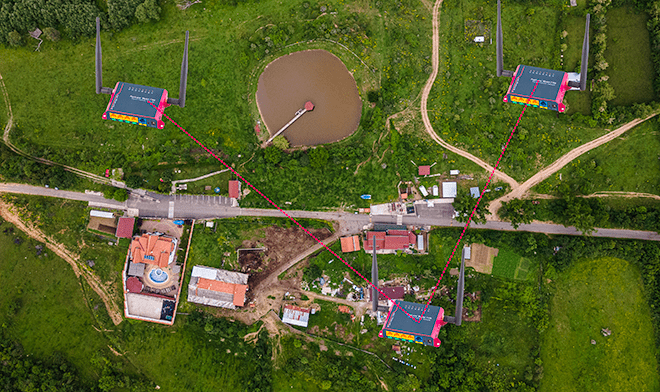
IpTL appliances connect your networks together just like The World’s Longest Ethernet Cable. Any devices you connect will work just like they are on the LAN. Our technology ensures transparent end-to-end LAN/Ethernet connectivity without port-forwards, router configurations, or VPN setups.
Connecting your devices over the Internet is always challenging. Customer Routers, Network Addressing, and WAN links make even the simplest connections difficult and expensive. Most VPNs focus on security rather than connectivity. This means establishing a site-2-site links require expensive infrastructure, are not transparent to the LAN and applications, and require difficult or impossible configurations.
IpTL has solved these challenges by creating and integrating technologies to ensure an easy, seamless, stable, and secure link regardless of the underlying Internet network provider.
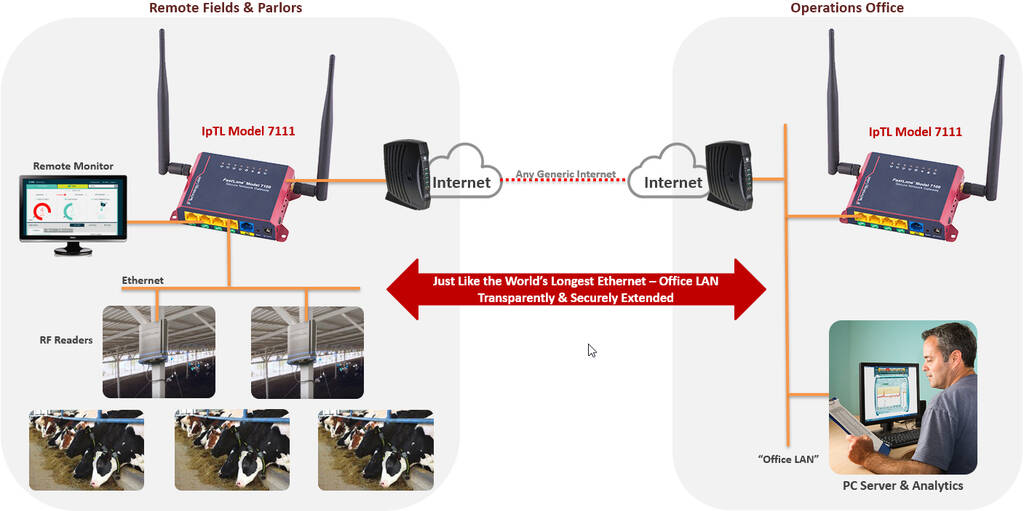
Whether you are connecting Tag Reader Antennas, Farm Analytics Applications, or Smart Farm Devices, IpTL can connect all your Ethernet based devices back to your Farm House headend. Use any Internet access – including dynamic/DHCP, Cellular, xDSL, Cable or Satellite Internet. There is no distance limitation and you can connect two sites or 100.
Key Advantages using IpTL for Smart Farm Connections
- Seamless End-to-End connectivity for any Ethernet device over any Internet link. We work with any vendor.
- Plug-and-Play with all security and networking pre-configured. Just assign a unique Farm ID and the networks are joined.
- ISP Provider independent. Dynamic IP ok! No need for a static IP.
- No configuring customer’s Routers or Infrastructure.
- No Distance limitations. Connect multiple barns/locations anywhere in the world.
- No aiming, outside installation, or weather limitations.
- Full end-to-end Encryption with AES256.
- Fully out-of-band manageable with our ViewPoint support server portal.
- No Recurring license Charges – All services are built in for five years.
Overview
How IpTL Connectivity Works for Smart Farms
IpTL’s CloudConnect™ enables easy and transparent networking between remote Ethernet-based Smart Devices and your main Farm House network.
Combining secure tunneling VPN, Redundant systems, and transparent LAN technologies, IpTL appliances enable you to extend a farm network to one or more locations using any Internet connection.
All appliances for a farm are connected together and any network devices can freely communicate, ensuring your analytics and
applications work as designed. All without complicated installations, configurations, or line-of-site aiming. Unlimited farm devices can be connected to an IpTL appliance.
Without requiring any port-forwards or customer router configuration, deploying IpTL appliances is as plug-and-play as you get.
Additionally, all appliances are preconfigured for encryption, and every farm is securely isolated from other farms and protected from the open Internet.
How Does it Work
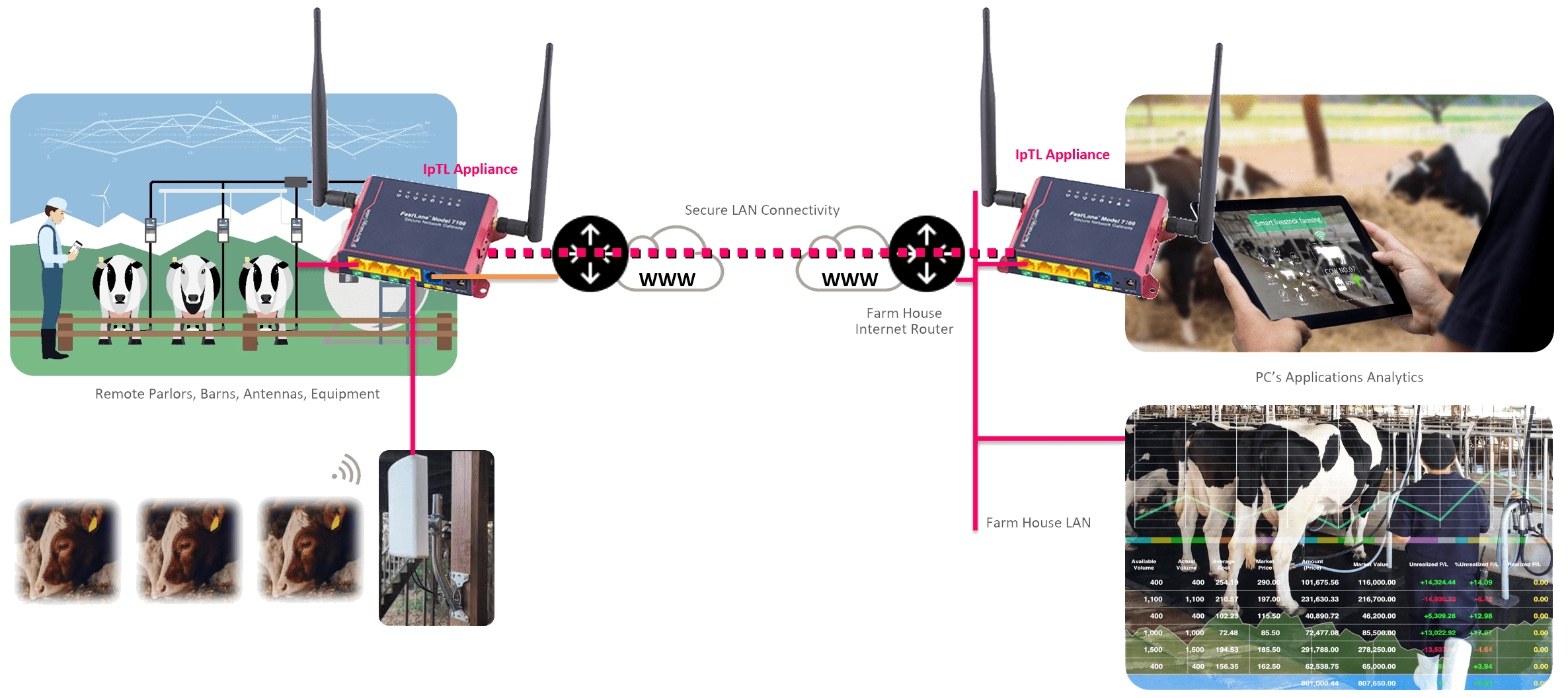
Connecting remote devices to the headend farm house is easy as plugging in Ethernet and power.
At the farm house or headend main network, simply connect one of the IpTL appliances yellow local ports to the LAN and power up. When powered up, the IpTL appliance will DHCP from the farm network router and establish redundant CloudConnect™ links to our servers in the cloud.
For the remote site connect the IpTL appliance blue port to the LAN and one or more yellow local ports to antenna readers or equipment. When powered up, the IpTL appliance will DHCP from the farm network router and establish redundant CloudConnect™ links to our servers in the cloud.
A unique farm-id is set via our ViewPoint™ management portal for each of the appliances. All IpTL appliances with the same farm ID will be connected together. This makes it easy to add additional sites, provide remote dealer and support access, or even swap-outs should should a replacement be required.
Because you are extending the headend LAN all the networking will be the same for the remote site. When your smart farm devices DHCP’s for an address, the response will come from your headend LAN and operate just like it is sitting on your headend network. Your applications will discover and connect to all your devices.
Additionally, you can also access any remote equipment just like you would as if it was installed on the local LAN.
Connecting Two Sites
Point-to-Point
Simple Point-to-Point Links with Tag Readers
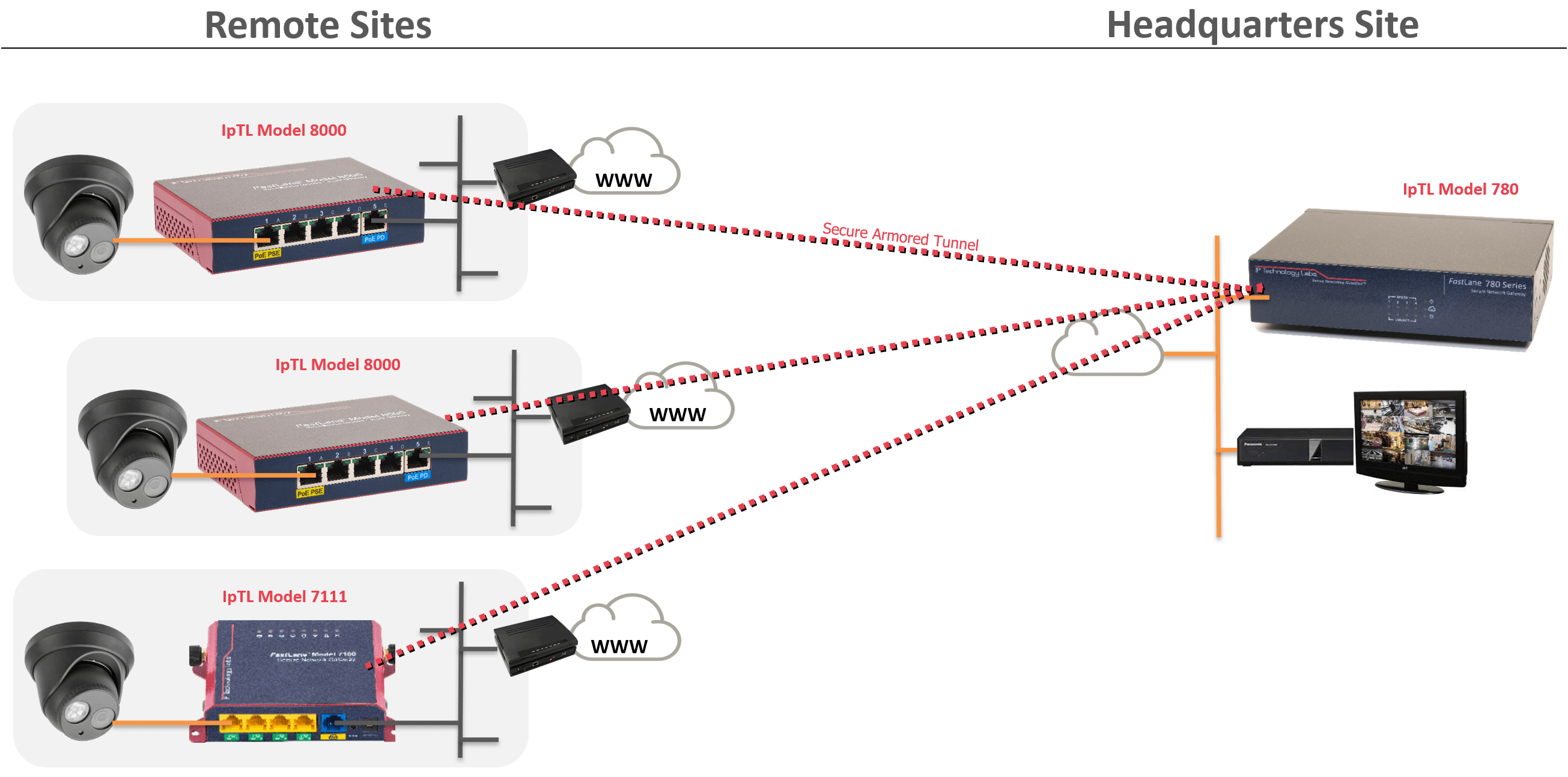
Connecting multiple remote sites is straightforward. To establish a tunnel, each remote appliance is simply configured with the IP, FQDN name, or the MAC address of the headend appliance.
When a remote appliance is powered on it will continuously attempt to connect to the headend. The remotes do not require any port forward rules and can be installed behind a router, NAT, or firewall.
The headend appliance will terminate all the remotes appliances.
The headend can support either Bridged/L2 or Routed/L3 connections. If bridged, the LAN will be extended to all sites and the networking shared. If routed, then each site will have its own IP network range.
Using the client-to-client setting on the headend appliance, all remote sites can be either blocked from direct communication, called hair-pinning, or allowed to communicate directly with each other.
To enhance security, the Tunnel Auth feature can be set with a user passphrase. Once set, all the appliances will be in a closed user group preventing outside connections from any device.
How Does it Work
To make a tunnel, each remote will be configured with the IP, Name, or simply the MAC address of the headend appliance under the Tunnel Options page.
Here is an example entry on a remote appliance: 
IpTL’s appliances enable you to use Dynamic IP Internet services at both the remote and the headend. IpTL’s patented RealTimeResource™ feature automatically resolves the current headend IP address with DNS.
If the tunnel is Ethernet/L2, then the Local Port at the remote and the headend will be connected. If the tunnel is Routed/L3, the headend appliance will automatically push all the routes to each remote appliance.
If Routed/L3 operation is used and the remote appliance is in a stub installation, then it may be necessary to configure the remote router to send traffic to the IpTL appliance as the next hop for its networks.
Connecting Multiple Sites
Point-to-Multipoint
Connecting Multiple Sites Together
Remote Site Behind a NAT/Firewall
In-line with Router
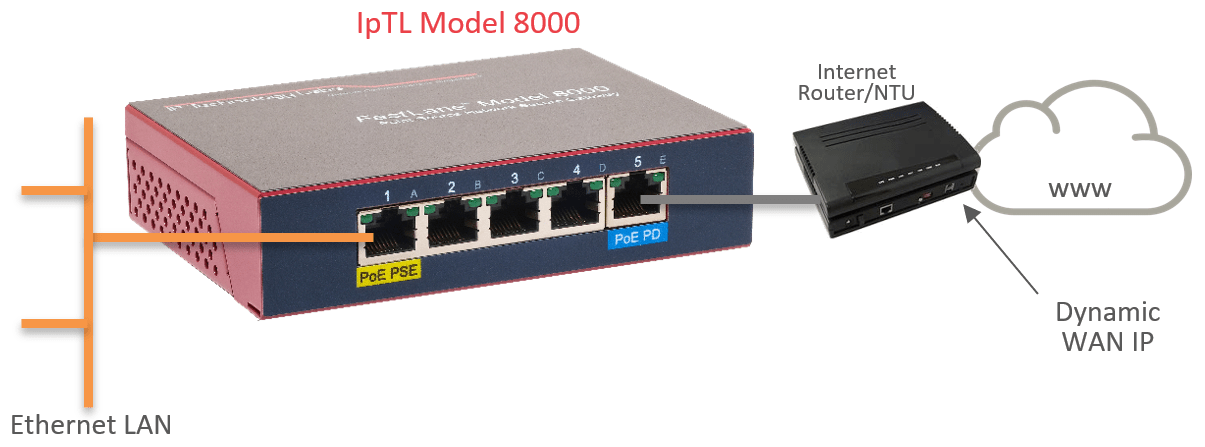
IpTL appliances can be installed behind a NAT router or firewall as well as on Dynamic IP links. One installation option is In-Line, where the IpTL appliance is used as the router for the remote network.
The appliance supports DHCP server, DNS, VLAN, Virtual Routers, ACL firewall, as well as full next-hop route control. Any tunnel created will be able to connect to the local LAN for secure access back to the headend. Connections can be set for Split-Tunnel or Compulsory-Tunnel to ensure the remote data goes where you want it.
In-line can be Bridged/L2 for smaller sites or Routed/L3 for larger scalable installations.
Remote Site Behind a NAT/Firewall
Stub
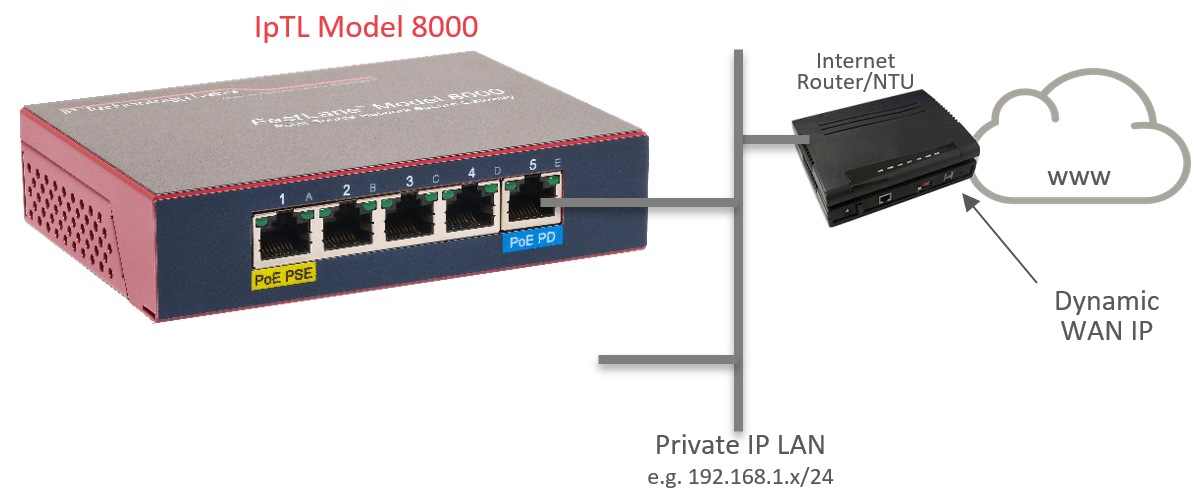
IpTL appliances can be installed as a stub host on the network. This type of installation is often used when it is desired to isolate devices from the local LAN while connected to the headed via a remote access tunnel.
This type of operation can be used with Ethernet/L2 or Routed/L3 connections. If there is a desire for hosts on the local LAN to communicate to the headend through a tunnel, then it may be required to configure a next-hop routing rule in the default router.
Alternatively, IpTL’s patent-pending IPShare™ can be used to create a local LAN interface on the tunnel.
HeadEnd Behind a NAT/Firewall
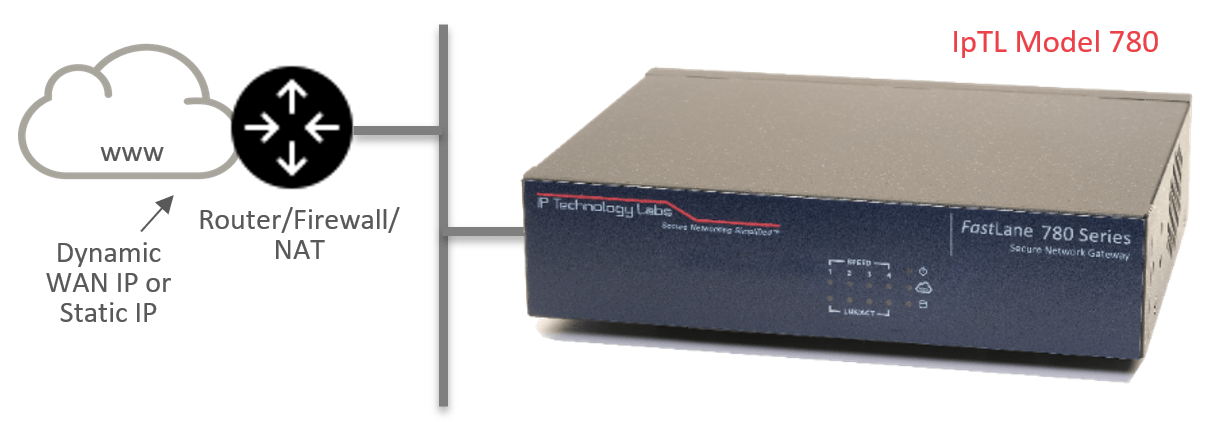
An appliance can be installed as a server behind a NAT router and on a Dynamic IP link. The headend appliance listens for incoming tunnel connections and will authenticate valid remote sites.
When installed behind a NAT, it will be necessary to configure the upstream router with a single port-forward statement to send inbound traffic to the IpTL appliance. All remote connections will use this port forward.
HeadEnd Directly Connected to the Internet
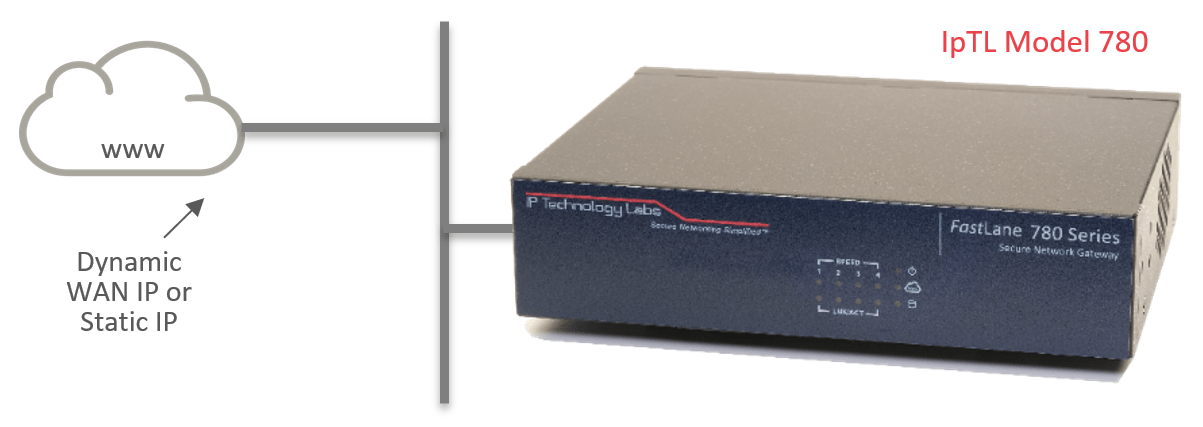
An appliance configured as a server can also be directly attached to the Internet with either a static or dynamic IP. In such cases, there is no requirement for a port-forward rule as all incoming connections will be direct to the appliance.
As every IpTL appliance is a router/NAT/firewall, all non-tunnel external connections can be blocked, and only legitimate IpTL remote appliances can connect.
Connect using Cellular
Use Cellular/LTE when Internet Isn’t Available
Cellular/LTE Modem for Remote Internet
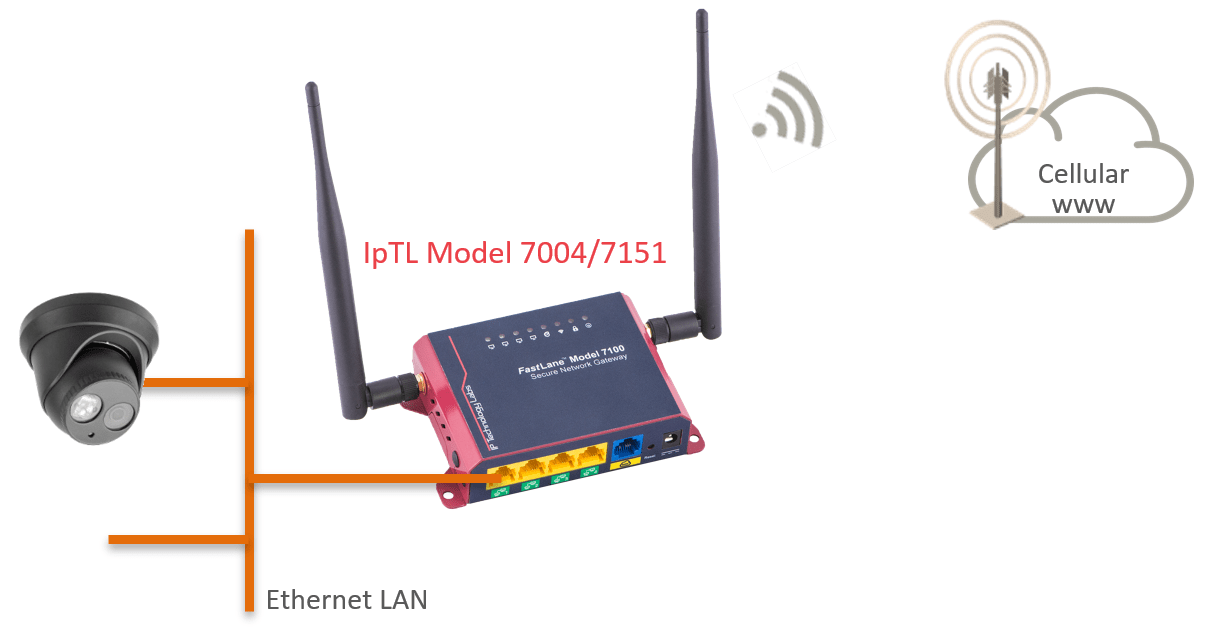
Many times a remote site will not have Internet service available. For those remotes, IpTL offers the Model 7004 (Verizon certified & T-Mobile Certified) and the Model 7151 (International/Global) appliances with built-in Cellular/LTE modems.
The modem takes a standard SIM card for data service and will receive a private and dynamic address from the carrier network. Once powered up and attached to the Cellular network, the IpTL remote appliance will continuously and automatically connect to the headend just like it was on a wired Internet.
Once the tunnel is established, direct communications are available to the remote network. This supports both Ethernet/L2 and Route/L3 type network architecture.
Cellular/LTE as On-Demand Failover/Redundancy
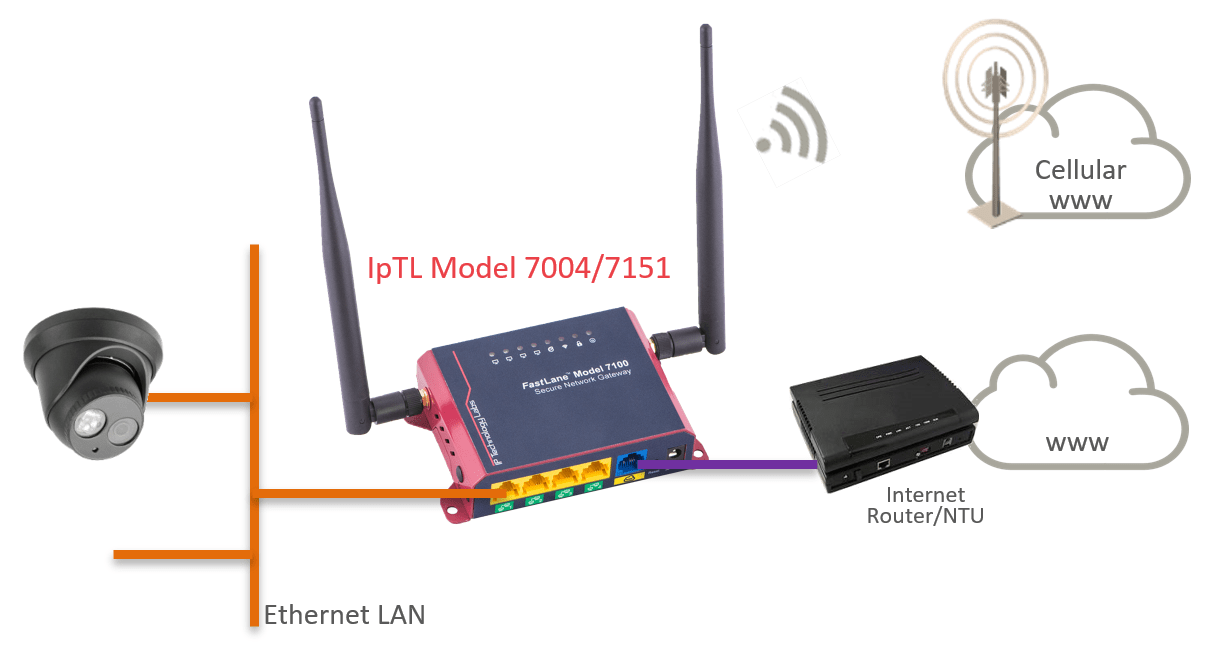
When a link up-time is critical, the IpTL Cellular/LTE appliance can be used as an on-demand failover to the local Internet access. Using our SystemMonitor™ feature, it is possible to have fast and responsive link protection.
SystemMonitor™ supports:
- Supports Active/Active, Active/Standby, and Active/Hot-Standby failure-ready operation
- Highly Configurable Down-Time monitors, with configurable hysteresis that goes way beyond a simple PING
- Triggered networking actions to ensure your network runs the same in any failure
See the Magic for Yourself with our Free Trial Demo
Sometimes you just need to see it for yourself. We’ve setup a program to do just that. Click the Try Now if you want to see the magic of IpTL absolutely reliable networking!